AI Data Agent for your SQL
Based on your context, directly in your editor
Trusted by Next-Gen SQL Users

Powerful Features
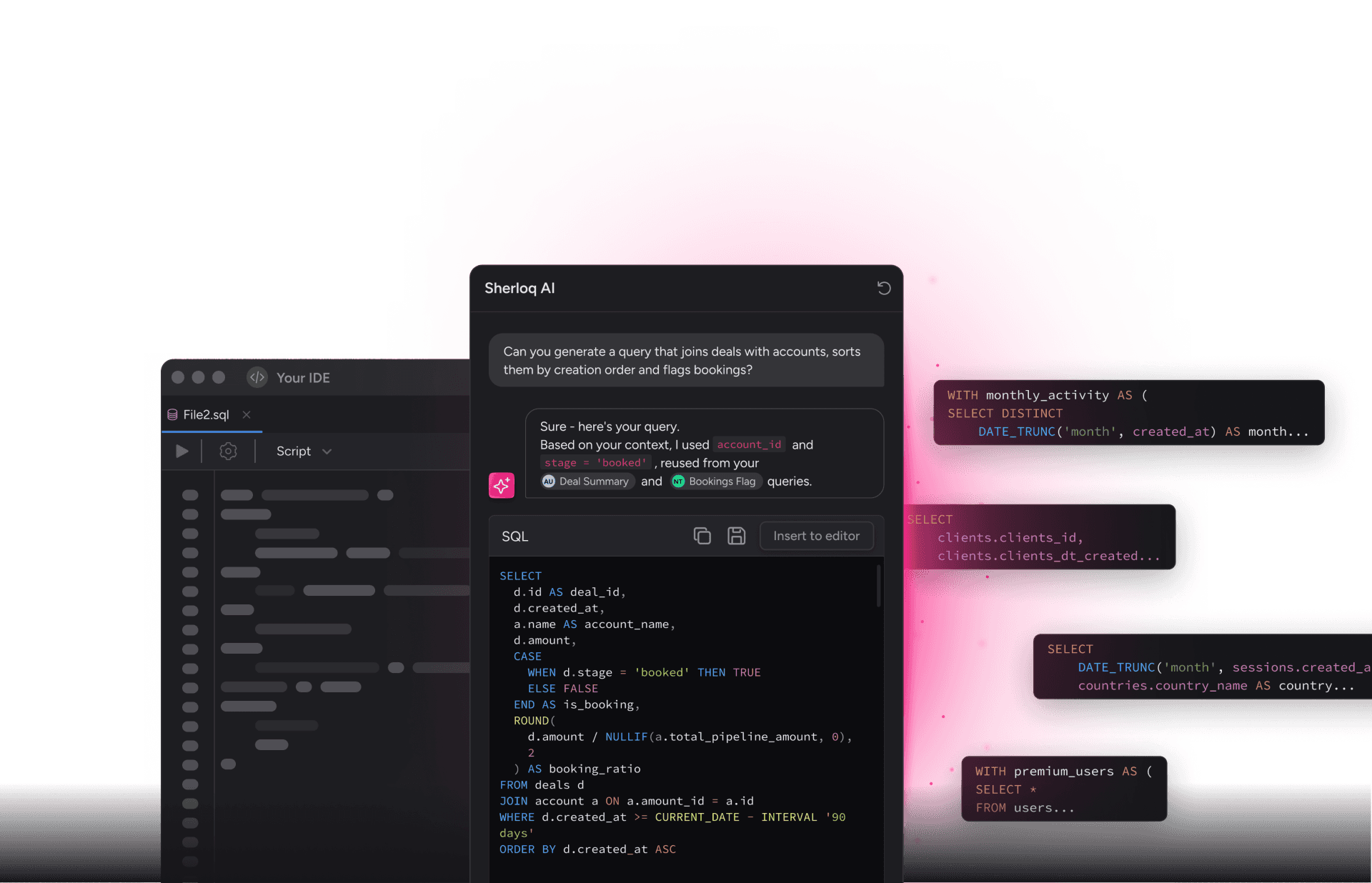
Generate context-aware SQL
Let AI generate SQL queries based on your specific context and requirements.
Fix SQL Syntax
Automatically detect and fix SQL syntax errors in your queries.
Extract logic and filters
Intelligently extract business logic and filter conditions from your SQL.
Modify existing queries
Easily modify and adapt your existing SQL queries with AI assistance.
Write correct JOINs
Get help writing complex JOIN statements with proper relationships.
Find tables and fields
Quickly discover and navigate available tables and fields in your database.
What Users Say
"There's definitely a need for something like this so that I can easily access my code. The way we've been handling things up until now feels obsolete."
"The snippets give me a great starting point for writing queries without having to rewrite everything from scratch. It's very easy."
"I'm super happy with the product! We had a lot of attempts to share the queries inside the team, and all of them failed. This one works!"
"We use Sherloq, which is super easy for saving frequently used queries and also for things you may need to use in the future."
"Love using Sherloq! Before, I would save my SQL in hundreds of different places. Now I can easily find exactly what I'm looking for."
"We're happy to use your platform every single day!"
Pricing Plans
| Feature | Free | Pro | Enterprise |
|---|---|---|---|
| SQL Queries Storage | Up to 50 | Unlimited | Unlimited |
| Team Collaboration | 1 User | Included | Included |
| AI Query Generation | 10/month | Unlimited | Unlimited |
| Supported Editors | VS Code | All | All + Custom |
| Security & Compliance | Basic | SOC2 | SOC2 + On-Prem |
| Support | Community | 24/7 Priority |
SQL Queries Storage
Free Plan: Up to 50 queries
Pro Plan: Unlimited queries
Enterprise Plan: Unlimited queries with advanced organization features
Store and organize all your SQL queries in one secure location. Access them anytime, anywhere.
Team Collaboration
Free Plan: Single user only
Pro Plan: Full team collaboration included
Enterprise Plan: Advanced team management and permissions
Collaborate with your team, share queries, and manage access permissions.
AI Query Generation
Free Plan: 10 AI-generated queries per month
Pro Plan: Unlimited AI query generation
Enterprise Plan: Unlimited with priority processing
Let AI generate SQL queries based on your requirements and context.
Supported Editors
Free Plan: VS Code only
Pro Plan: All major editors (VS Code, JetBrains, Sublime, etc.)
Enterprise Plan: All editors + custom integrations
Work in your favorite IDE with full Sherloq integration.
Security & Compliance
Free Plan: Basic security
Pro Plan: SOC2 compliance, SSO support
Enterprise Plan: SOC2 compliance, on-premises deployment, advanced security features
Your data is protected with enterprise-grade security measures.
Support
Free Plan: Community support via forums
Pro Plan: Email support with 24-hour response time
Enterprise Plan: 24/7 priority support with dedicated account manager
Get help when you need it from our expert support team.
Ready to Transform Your SQL Workflow?
Join thousands of data professionals using Sherloq
Book a Demo
Schedule a personalized demo with our team to see how Sherloq can transform your SQL workflow.
What to Expect
- 15 min: Introduction to Sherloq and your use case
- 20 min: Live demo of key features
- 15 min: Q&A and pricing discussion
Get Started for Free
Start using Sherloq today with our free plan. No credit card required.
Free Plan Includes
- Up to 50 SQL queries storage
- 10 AI query generations per month
- VS Code integration
- Community support
- Basic query organization
- Version control for queries
- Export to multiple formats
Ready to Start?
Create your account in seconds
No credit card required. Free forever plan available.
💡 Pro Tip: Upgrade to Pro anytime to unlock unlimited queries and AI generations.
Blog
Latest articles and insights about SQL, data management, and AI.
10 SQL Optimization Tips for Better Performance
Learn how to write efficient SQL queries that run faster and consume fewer resources. We cover indexing, query planning, and common pitfalls.
Read More →AI-Powered SQL: The Future of Data Analysis
Explore how artificial intelligence is transforming SQL development. Discover how Sherloq uses AI to help you write better queries faster.
Read More →Case Study: How AppsFlyer Brought Order to Data
Read how AppsFlyer uses Sherloq to manage thousands of SQL queries across their organization, improving productivity and reducing errors.
Read More →SQL Best Practices for Data Teams
Establish best practices for your data team. Learn about naming conventions, documentation, and collaboration strategies for SQL development.
Read More →Understanding Query Execution Plans
Deep dive into query execution plans and how to read them. Learn how to identify bottlenecks and optimize your SQL queries.
Read More →Sherloq 2.0 Released: New Features and Improvements
Announcing the release of Sherloq 2.0 with improved AI capabilities, better collaboration tools, and enhanced performance.
Read More →Documentation
Installation
Sherloq is available for VS Code and other popular IDEs. Follow these steps to get started:
1. Open your IDE's extension marketplace
2. Search for "Sherloq"
3. Click Install
4. Reload your IDE
Quick Start
After installation, you can start using Sherloq immediately:
// Open a SQL file and use the command palette
Cmd/Ctrl + Shift + P → Sherloq: Generate Query
// Or right-click and select "Generate with Sherloq"
Configuration
Configure Sherloq in your IDE settings. You can set your database type, preferred SQL dialect, and AI preferences.
Query Generation
Use Sherloq's AI to generate SQL queries from natural language descriptions. Simply describe what you want to achieve and let AI write the SQL.
Syntax Checking
Sherloq automatically checks your SQL syntax as you type and provides suggestions for fixes.
Collaboration
Share your SQL snippets with team members and collaborate in real-time. Manage permissions and organize queries by project.
Versioning
Keep track of query versions and see who made changes and when. Revert to previous versions if needed.
API Overview
Sherloq provides a REST API for programmatic access to your queries and AI features.
Authentication
All API requests require authentication using an API key. Get your API key from your account settings.
Endpoints
Main API endpoints:
GET /api/queries - List all queries
POST /api/queries - Create a new query
GET /api/queries/:id - Get a specific query
PUT /api/queries/:id - Update a query
DELETE /api/queries/:id - Delete a query
POST /api/generate - Generate query with AI